
Set Up Your TytoHome Device
All the care of the doctor, from the comfort of home
Set Up Your TytoHome Device
All the care of the doctor, from the comfort of home
Welcome to a new kind of home health care experience. Your TytoHome device from TytoCare is your first line of care, bringing your family remote exams with St. Luke’s On-Demand Virtual Care providers for immediate answers at home. So, let’s get started!
Before Your First Visit
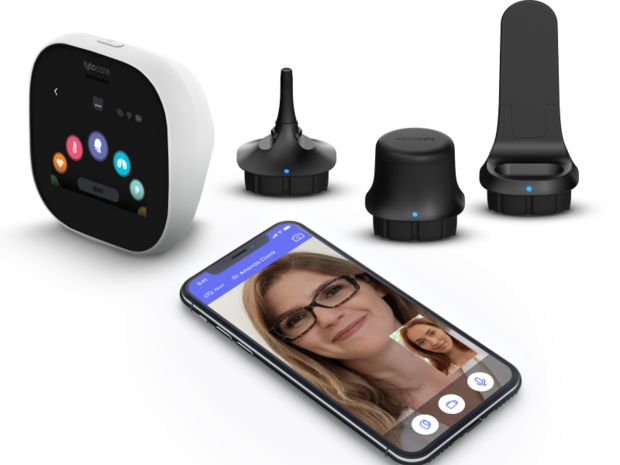
- Charge your TytoHome and locate your WiFi password.
- Download the TytoCare App on your tablet or smartphone. Note: DO NOT create an account in the TytoCare app - it will be created for you automatically through MyChart.
- Download the MyChart App on your tablet or smartphone. If its your first time, select your state and St. Luke’s as your organization.
- Log into your MyChart App and click ‘TytoCare Setup’ from the menu. You will be guided through the activation process. This only needs to be done once. For further assistance, please call TytoCare Support at (208) 205-9656.
- Complete required set up for family members - For family, choose their MyChart account, open the menu, scroll down and tap ‘TytoCare Setup’. Confirm setup completion with the green icon in the upper right corner before proceeding to the next family member. For questions related to proxy access, call (208) 381-9000.
- Complete Practice Visit - This non-clinical practice visit helps you feel comfortable using TytoHome. Open the MyChart app, click ‘TytoCare Setup’ and choose the ‘Start a Practice Visit’ tile. A popup will appear - start your practice visit.
If you need assistance with this process, please call (208) 205-9656.
Need Help?
MyChart Support
For issues related to MyChart, call MyChart Support at (208) 381-9000.
TytoCare Support
For device-related issues, please call TytoCare Support at (208) 205-9656.